
Module 01: Included in Lite
See the publishing schedule you are actually running.
Strive reads the articles already in WordPress and turns scheduled work, published posts and unscheduled drafts into one practical calendar.
Free forever. No license, no account, no expiry.
What you get
What this changes in your workflow
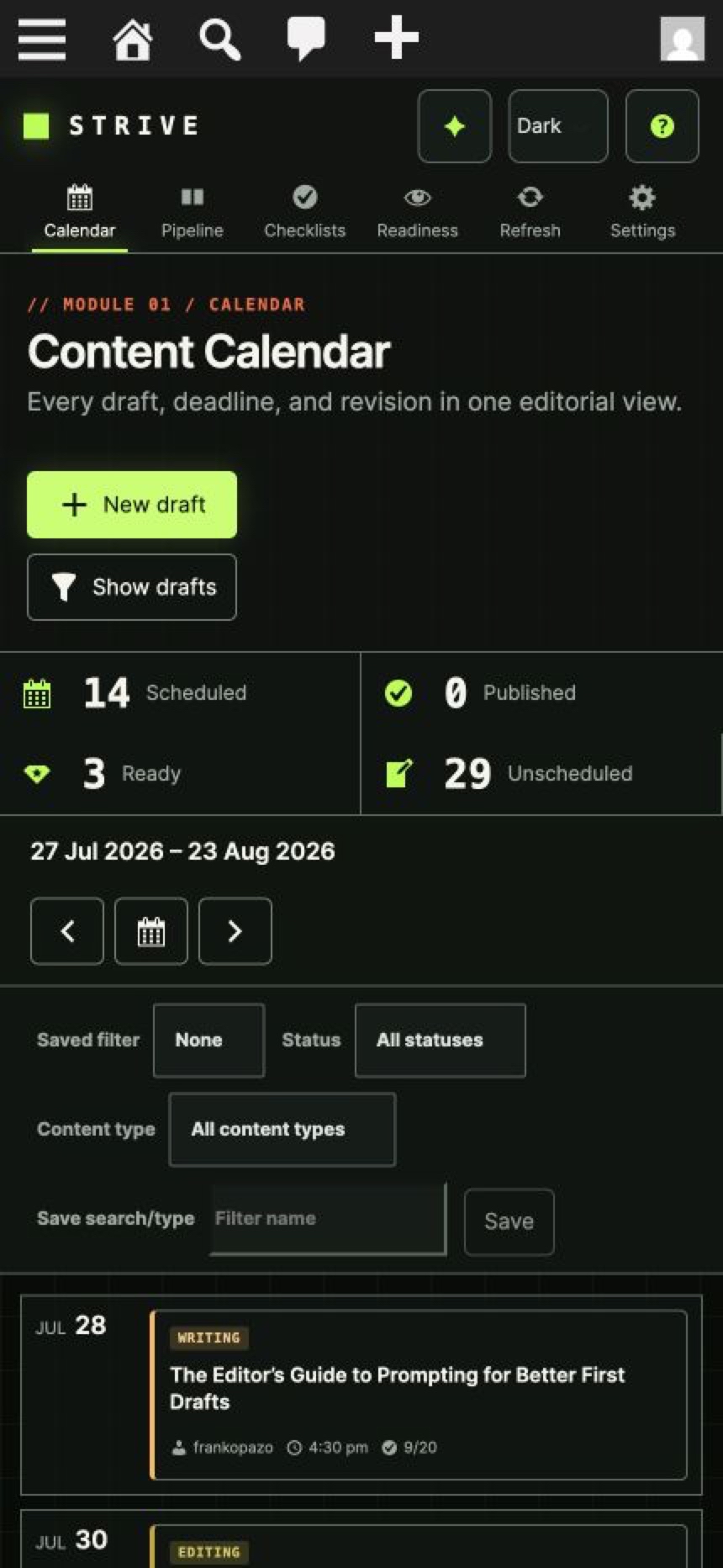
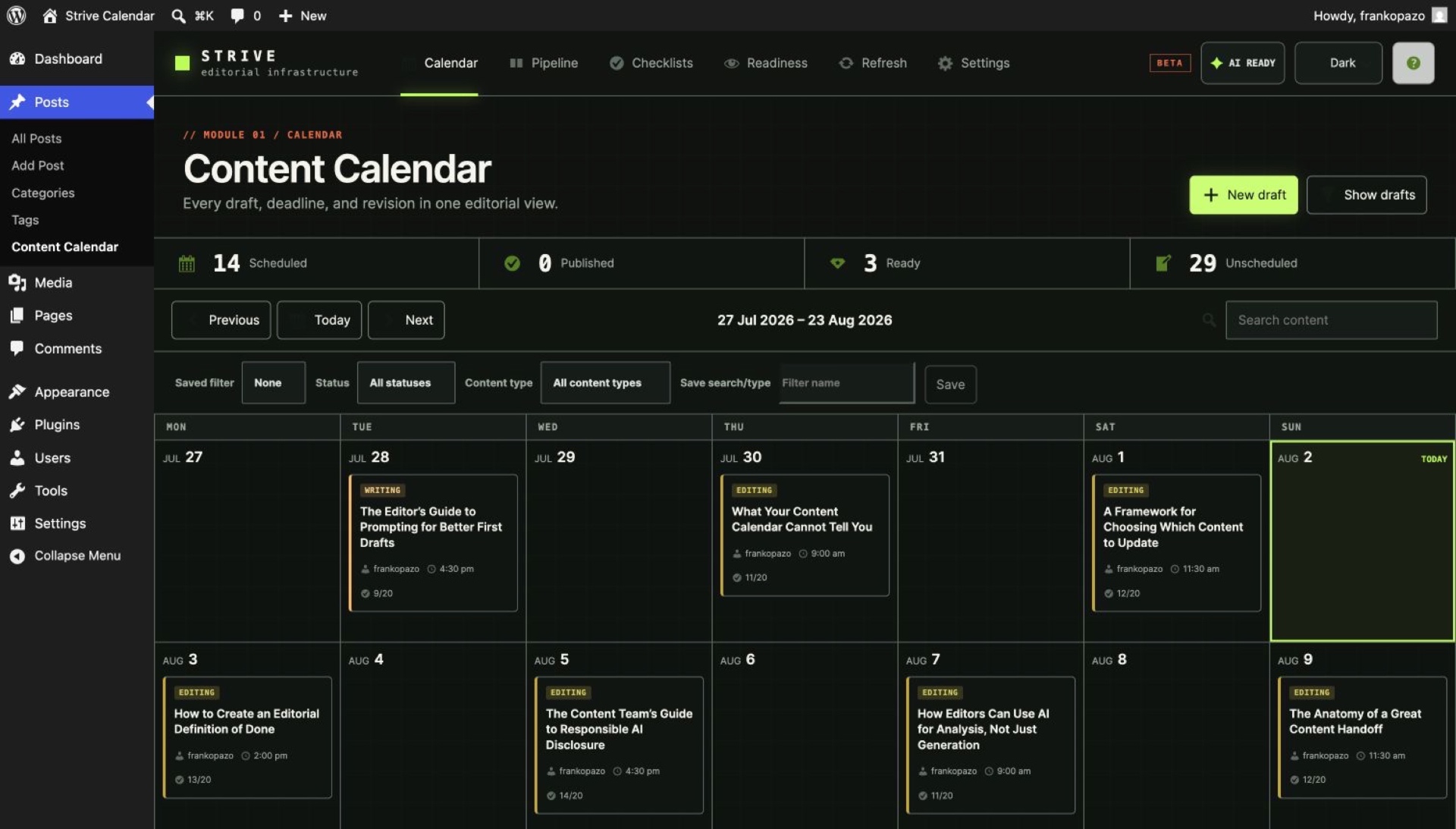
See scheduled and published articles in one visual plan, move dates quickly, and keep unscheduled drafts close to the calendar.
Answer schedule questions instantly
See what is planned without opening the Posts screen or maintaining a second calendar.
Change the plan directly
Create drafts and schedule, reschedule or unschedule articles from the calendar.
Find the work that matters
Filter by category, tag, editorial status, author and search term where relevant.
See readiness at a glance
Use status, checklist progress and missed-deadline signals to understand risk before publication.
In the plugin
Inside the editorial workspace
FAQ
Questions, answered
Will my existing posts appear?
Yes. Existing scheduled and published WordPress Posts appear in the Calendar according to the selected date range.
Where are unscheduled drafts?
They remain available in the draft workspace and can also be viewed through Pipeline.
Can I change the first day of the week?
Yes. Calendar settings respect the configured starting day and WordPress date and time formats.
Does the Calendar manage Pages?
No. Strive focuses on built-in WordPress Posts/articles.
Is the Calendar included in Lite?
Yes. Calendar planning and scheduling are included in Strive Calendar Lite without expiry.
Get started with Lite
Get the editorial workflow WordPress is missing.
Strive Calendar Lite is free forever, with no license, account or expiry.
Free forever. No license, no account, no expiry.