
Lite: Free forever
The editorial workflow WordPress never shipped. Free.
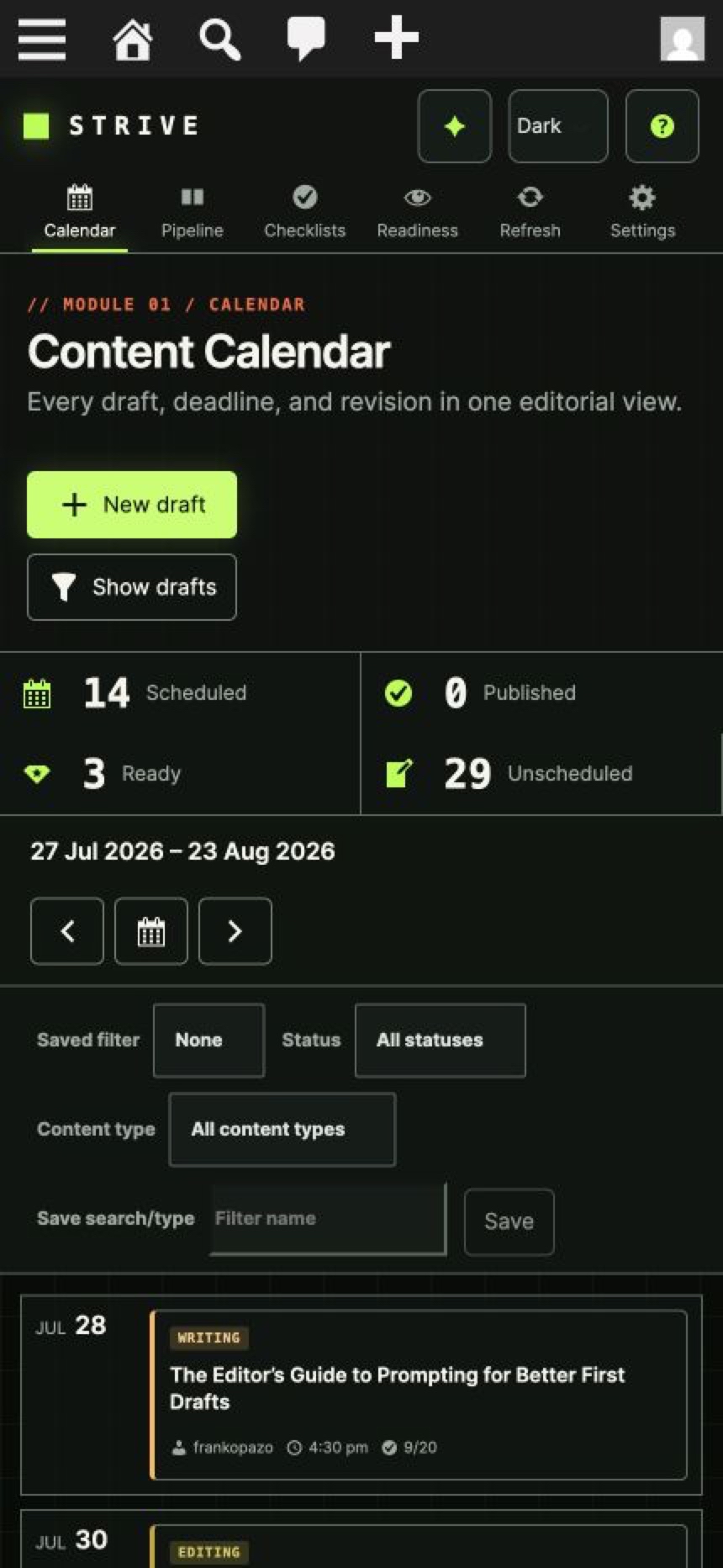
Strive Calendar Lite turns the Posts screen into a plan you can run: a real calendar, a visible pipeline, editorial statuses, reusable checklists and deterministic readiness checks—without a license, an account or an AI provider.
Free forever. No license, no account, no expiry.
Included in Lite
Everything in the free plugin
Ten capabilities, no upsell wall between you and a working editorial process.
Content Calendar
See scheduled and published articles in one visual plan, move dates quickly, and keep unscheduled drafts close to the calendar.
Pipeline Board and List
See what is not started, being written, being edited or complete so drafts do not disappear in the WordPress Posts screen.
Editorial statuses
Describe the real stage of a draft without changing its normal WordPress visibility or publication status.
Reusable post checklists
Turn a publishing standard into repeatable steps and see progress before an article ships.
Editorial notes
Keep private working context attached to the article instead of scattered across documents and chat.
Local Editorial Readiness
Catch missing requirements with deterministic checks that run inside WordPress without AI, an external account or a usage quota.
Review blockers and copyable review brief
Turn local findings into visible article work or carry a structured brief into the external assistant of your choice.
Solo and Team Workspace modes
Keep the interface focused for one writer or expose author and ownership context for a shared site without changing entitlement.
Automatic, Light and Dark appearance
Make the editorial workspace comfortable in your preferred WordPress environment.
Transparent onboarding and starter checklist
Reach a useful workflow quickly while seeing exactly what Strive will configure or import.
Why it works
Built for the way editorial work actually happens
It reads the articles you already have
Strive works from built-in WordPress Posts. There is no import step and no second content store.
No Strive-hosted SaaS
Lite runs inside your WordPress install. There is no Strive account, no credit meter and no expiry.
Deterministic checks, not guesses
Local Editorial Readiness checks title, content, author, featured image policy, taxonomy, checklist progress and scheduling state without any external request.
A clear upgrade path
Pro capabilities are visible in Lite so you know what they do before you ever pay for them.
Compare Lite and Pro
What Lite includes, and what Pro adds
Pro replaces Lite on activation and preserves your existing editorial data.
| Capability | Strive Calendar Lite — Free | Strive Calendar Pro — From $9/month |
|---|---|---|
| Content Calendar | Included | Included |
| Unscheduled drafts | Included | Included |
| Pipeline Board and List | Included | Included |
| Four editorial statuses | Included | Included |
| Reusable checklists and per-article progress | Included | Included |
| Editorial notes | Included | Included |
| Local Editorial Readiness | Included | Included |
| Copyable external review brief | Included | Included |
| Solo and Team Workspace | Included | Included |
| Automatic, Light and Dark appearance | Included | Included |
| Safe revisions of published articles | Pro only | Included |
| Enhanced WordPress AI readiness | Pro only | Included with eligible WordPress AI connection |
| Guided fixes and automatic re-evaluation | Pro only | Included |
| Editorial briefs and brief-to-checklist | Pro only | Included |
| Internal-link opportunities and safe application | Pro only | Included |
| Refresh Radar | Pro only | Included |
| License or expiry | None | Paid Pro license required for Pro execution |
"Pro only" means Lite shows you where the capability lives, but running it requires an active Pro license. See full pricing.
FAQ
Questions, answered
Is Strive Calendar Lite really free?
Yes. Lite is free forever. It has no license key, no account requirement and no expiry.
Does Lite require AI?
No. Every Lite capability, including Local Editorial Readiness, runs inside WordPress without an AI provider.
What content does Lite manage?
Strive manages built-in WordPress Posts/articles. It does not manage Pages or custom post types.
Can I use Lite with a team?
Yes. Team Workspace exposes author and ownership context, while Solo Workspace keeps the interface focused for one writer.
What happens if I upgrade to Pro later?
Pro replaces Lite on activation and preserves your existing calendar, statuses, checklists and notes.
Get started with Lite
Install Lite and plan next week today.
Free forever. No license, no account, no expiry.
Free forever. No license, no account, no expiry.