
Readiness: Local and enhanced
Review the article beside the evidence.
Lite catches deterministic publication blockers locally. Pro adds deeper, structured feedback through the AI provider connected to WordPress.
From $9/month. Cancel anytime.
What you get
What this changes in your workflow
Catch deterministic publication blockers locally, then add evidence-linked review through the AI provider connected to WordPress.
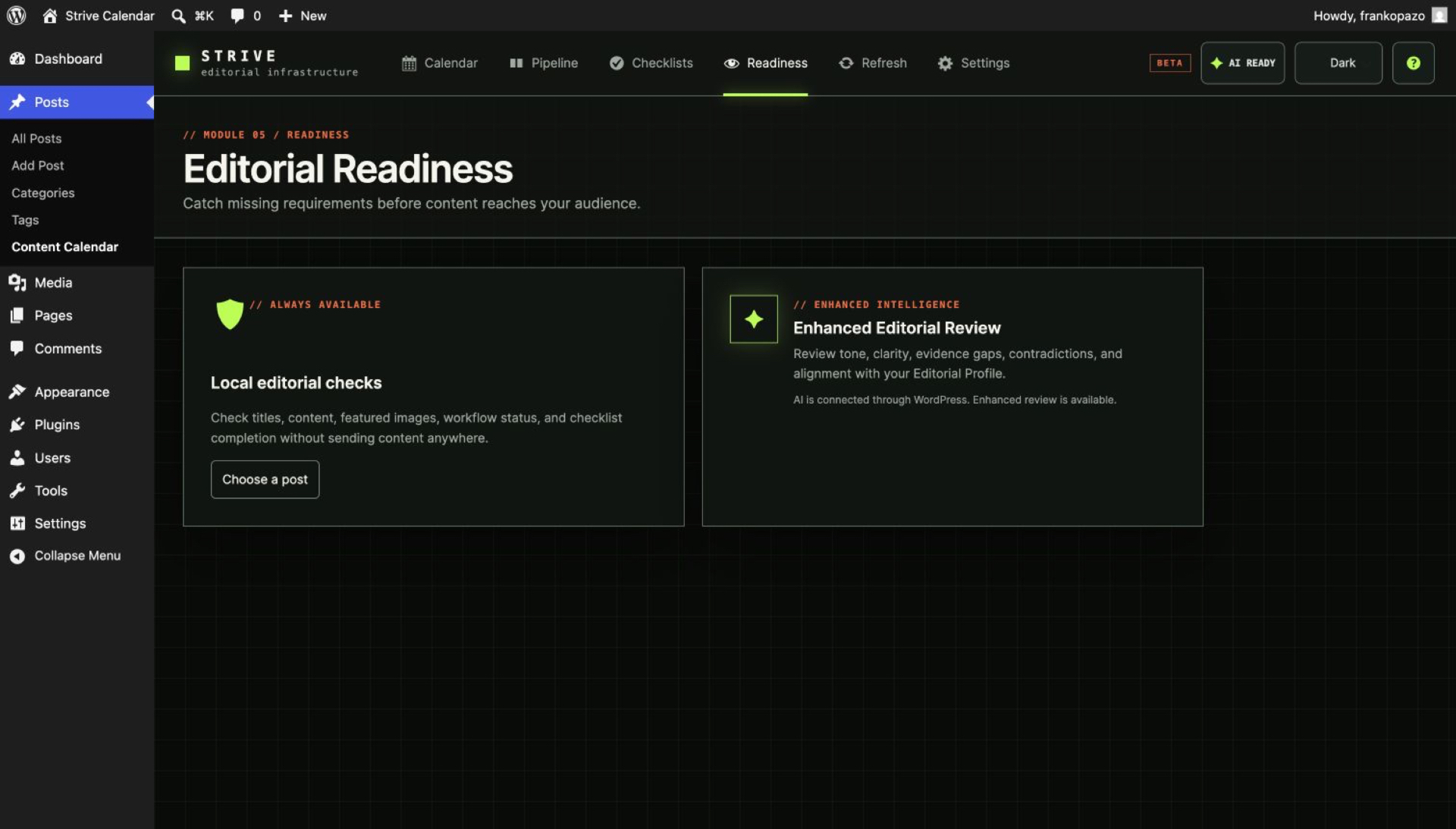
Lite: Local Readiness
Check title, content, author, featured-image policy, taxonomy expectations, checklist progress, scheduling state, length and basic link markup without any external request.
Pro: Enhanced Readiness
Ask the configured WordPress AI provider for structured editorial findings tied to evidence in the saved article.
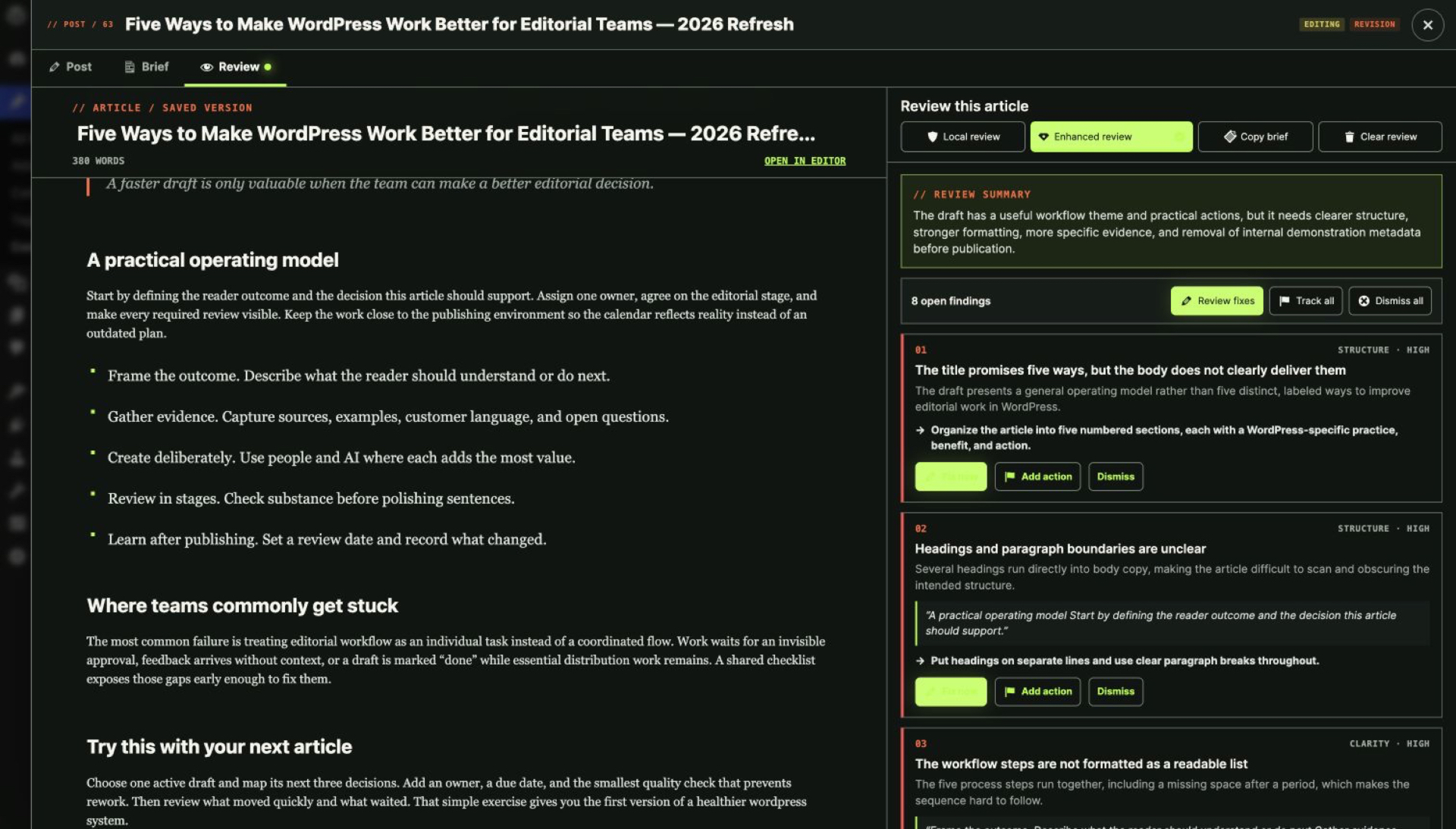
Content on the left. Feedback on the right.
The focused review workspace keeps the saved article readable beside the findings, and focusing a finding highlights the supporting passage.
A finding can become progress
Fix now when a safe guided change is supported, Add blocker when a human needs to resolve it, or Dismiss when the feedback does not apply.
Boundaries
What Strive deliberately does not do
Clear limits are part of the product contract.
- No rank tracking
- No keyword-volume data
- No backlink crawling
- No live web crawl
In the plugin
Inside the editorial workspace
AI note
Where AI fits
No provider connection disables the Enhanced action, not the editorial workspace. Local review remains available and Strive never asks for provider keys.
AI policy: WordPress native
AI is optional, and it never acts alone
Strive uses the AI provider connected to WordPress. There is no Strive-hosted AI service and no credit meter.
- Strive remains useful without AI.
- Strive never asks you to paste provider API keys into the plugin.
- AI features use the native WordPress AI connection and require WordPress 7.0 or later plus a compatible configured provider.
- Article content is sent only when an authorised user explicitly runs an eligible AI action.
- Private editorial notes are excluded from AI prompts.
- AI output is a proposal, not an automatic publication decision.
- A failed AI request leaves content, status, schedule and publication state unchanged.
FAQ
Questions, answered
Is Local Readiness free?
Yes. It runs locally and is included in Lite.
What does Enhanced Readiness require?
Strive Calendar Pro, WordPress 7.0 or later, permission to run the action and a compatible AI provider connected through WordPress.
Does a review change my article?
No. Reviews create findings. A supported guided fix still requires explicit approval before any content change.
Is this a full SEO audit?
No. Strive checks editorial readiness and basic link markup. It does not provide rank tracking, keyword-volume data, backlink crawling or a live web crawl.
Are private notes sent to AI?
No. Private editorial notes are excluded from AI prompts.
Upgrade to Pro
Try Pro on your own article library.
Pro replaces Lite on activation and keeps your existing calendar, statuses, checklists and notes.
From $9/month. Cancel anytime.