
Guided fixes: Human approval required
Fix the issue without surrendering the article.
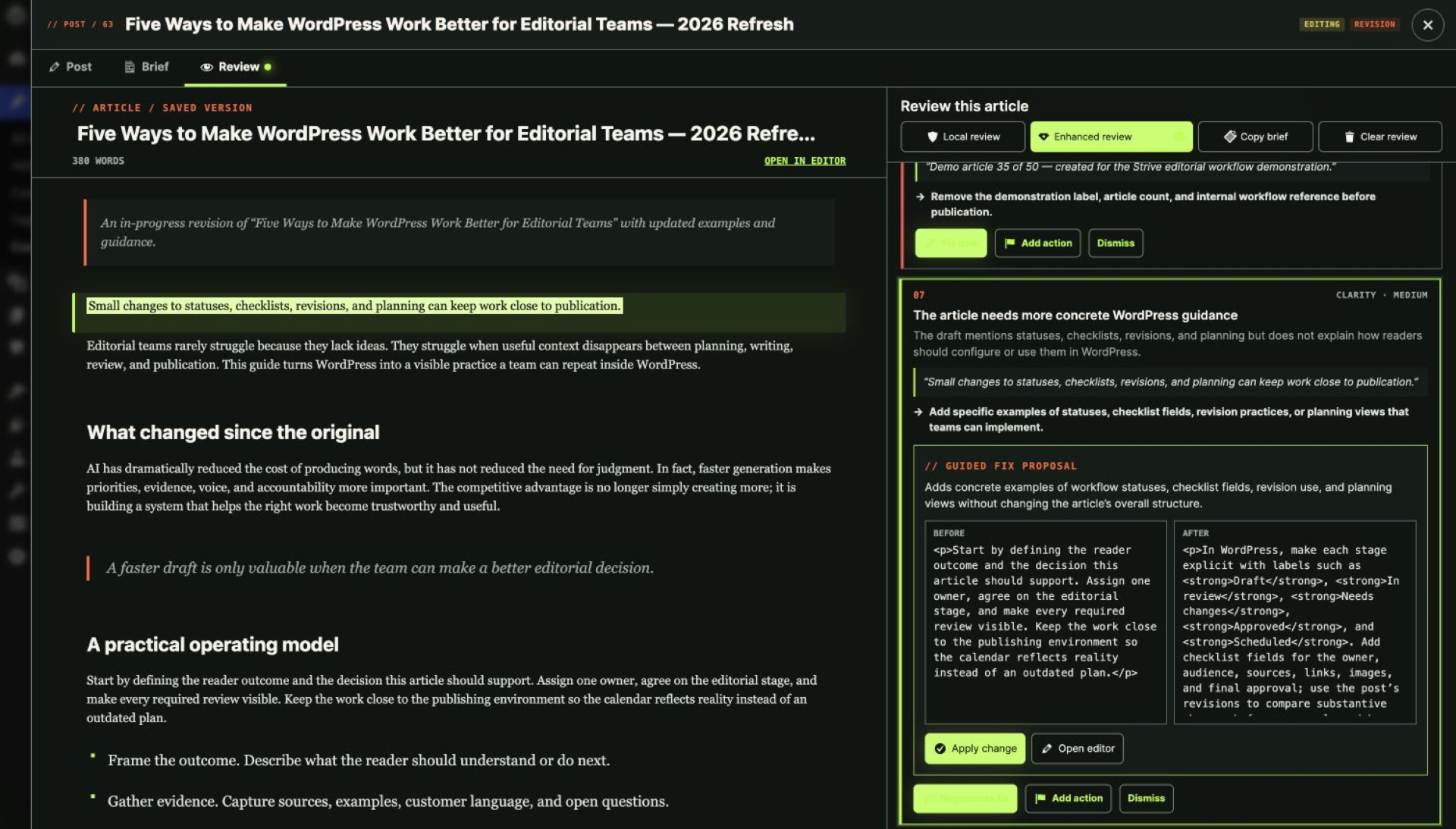
Strive prepares a bounded before-and-after proposal. You inspect it, approve it or leave the article unchanged.
From $9/month. Cancel anytime.
What you get
What this changes in your workflow
Review a before-and-after proposal, approve only the change you want, preserve a WordPress revision, and keep fixing without rerunning the full review.
Bounded, not blanket
Fix now appears only where a safe, scoped change is supported — everything else becomes a blocker or a dismissal.
A recovery point every time
An approved write is preceded by a native WordPress revision.
Stale proposals cannot land
If the article changed after the proposal was prepared, Strive refuses to apply it.
How it works
How it works
- 01
Select a finding
Choose the feedback that should become an action.
- 02
Prepare a proposal
Strive uses the saved article and finding context to generate a bounded change.
- 03
Compare before and after
The proposed change is visible before anything is written.
- 04
Approve explicitly
Strive verifies the article has not changed and preserves a WordPress revision.
- 05
Continue the session
The article view and affected findings update immediately, so you keep working without manually rerunning a review after every fix.
- No silent apply
- No automatic publish
- Stale-content protection
- WordPress revision before an approved write
- Unapproved older proposals are invalidated after content changes
- Provider failure leaves content unchanged
FAQ
Questions, answered
Can Strive fix every finding?
No. Fix now appears only when a bounded change is supported. Other findings can become blockers or be dismissed.
Does Fix now publish the article?
No.
What if the article changed after the proposal?
Strive refuses to apply a proposal created against stale content.
Can I undo an approved fix?
Strive preserves a WordPress revision before the approved write, giving you a native recovery point.
Does each fix consume another full review?
No. After an approved fix, Strive updates the active review context and re-evaluates the affected flow without forcing you to generate a new review.
Upgrade to Pro
Try Pro on your own article library.
Pro replaces Lite on activation and keeps your existing calendar, statuses, checklists and notes.
From $9/month. Cancel anytime.