
How to Optimize Blog Posts for SEO & Keywords
A –
I –
D –
A –
There are three phases to optimizing a blog post for SEO
- Keyword research
- Optimize the SEO snippet
- Optimize the post for your keywords
- Implement SEO best practices
We’re going to start with the SEO snippet because it is the quickest step, so you’ll get off to a good start.
Wait! You need keywords first
There is no optimizing without keywords.
If you haven’t done your keyword research yet, start by reading this post first:
That will help you find a keyword to target with your blog post, plus additional related terms to optimize for.
Optimize your SEO snippet first
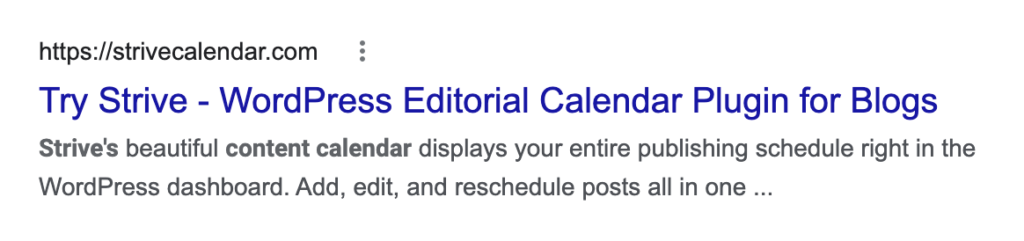
In case you’re unsure, here’s what an SEO snippet looks like:
Sometimes referred to as a “search snippet”
The URL shows above followed by the page’s title and description. You have the opportunity to edit all three to improve your rankings and traffic.
You can use either RankMath or Yoast SEO to edit your post’s SEO snippet, but I’ll take screenshots from RankMath for my examples.
Let’s work from top to bottom, starting with the URL.
How to create an SEO friendly URL
An SEO-friendly URL is short, human-readable, and keyword-optimized.
For example, here is a poorly optimized blog post URL:
website.com/blog/2r9e432f320t
We can see that it’s probably a blog post based on the “/blog/” part of the URL, but that’s it. You can’t tell what the article is about by looking at the URL, and neither can search engines.
Here’s a much better URL:
website.com/blog/resume-writing-tips
With this URL, you can tell exactly what the post is going to be about before you click, and it’s got the exact keyword included.
This is one of the easiest rankings factors to optimize for. Including your keyword in the URL will make your blog post rank higher. Plus, you’ll get more clicks because the URL appears more trustworthy than a string of random characters.
To edit your search snippet, open the RankMath sidebar and then click the Edit Snippet button.
Then type in your
how to title blog posts for seo
How to write a meta description
“Meta description” is the technical term, it will be called description
How to optimize your post for your primary keyword
Add your keyword to the h1
Add your keyword to an h2
Include your keyword in the beginning, middle, and end
How to optimize your post for additional keywords
Headings
Article body
Additional best practices
Give every image alt text
Make sure your heading structure is valid
Make your post visually appealing
Add internal links
Add external links
No spelling or grammar mistakes
Make it load fast
Does the article length matter?
Here’s your blog post SEO checklist
Twitter Facebook LinkedIn Pocket Reddit
Categories: SEO
Scroll to the top