
If you make frequent use of tags, you may want to display them in the calendar.
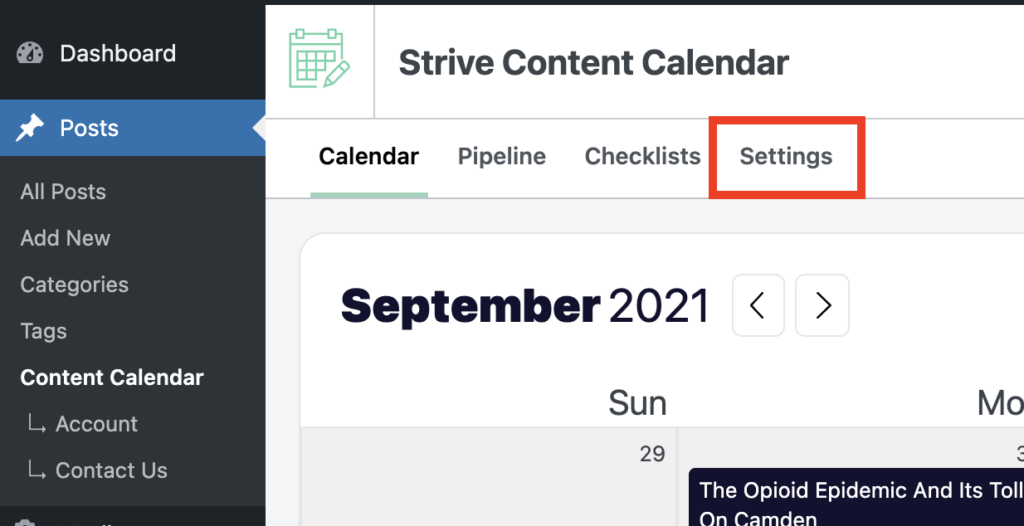
To enable tag display in the calendar, start by visiting the Settings menu.
In the Settings page, locate the Show post tags in the calendar option, and click the toggle button to enable it.
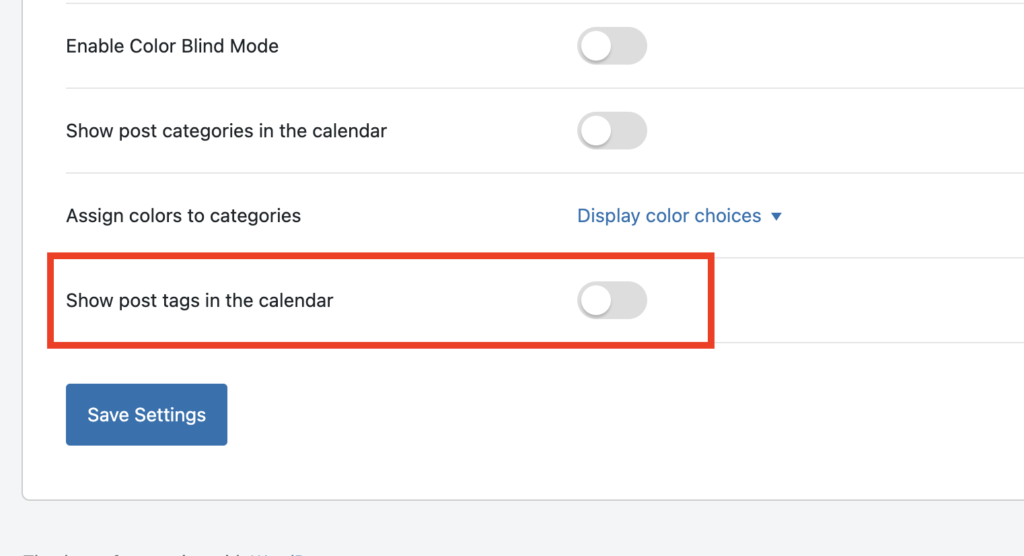
Then click the Save Settings button to save your changes.
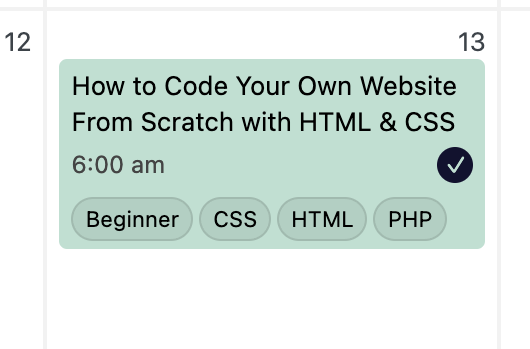
When you return to the calendar, you’ll see each post’s tags displaying, like this:
Search
Search for
Categories
Related Tutorials
- Getting Started with the Content Calendar
- How to Add New Posts to the Calendar
- How to Reschedule Posts
- How to Edit Posts in the Calendar
- How to Unschedule a Post
- How to Display Post Categories in the Calendar
- How to Filter Posts in the Calendar
- How to Prevent Incomplete Posts From Publishing
- How to Change the Starting Day of the Week
- How to Change the Number of Weeks in the Calendar
- How to Enable Color Blind Mode
- How to Translate Strive
- How to Keep the Unscheduled Drafts Sidebar Open